Schedules
Playlists can be assigned directly to your screens without any scheduling. However, if you want specific playlists to run only at certain times of the day or on specific days of the week, you can opt to use Schedules.
Yugna provides a powerful weekly calendar view to make scheduling your content simple and visual.
The Schedule Builder Overview
Section titled “The Schedule Builder Overview”When you create or edit a schedule, the Schedule Builder will open, presenting you with a familiar calendar interface:
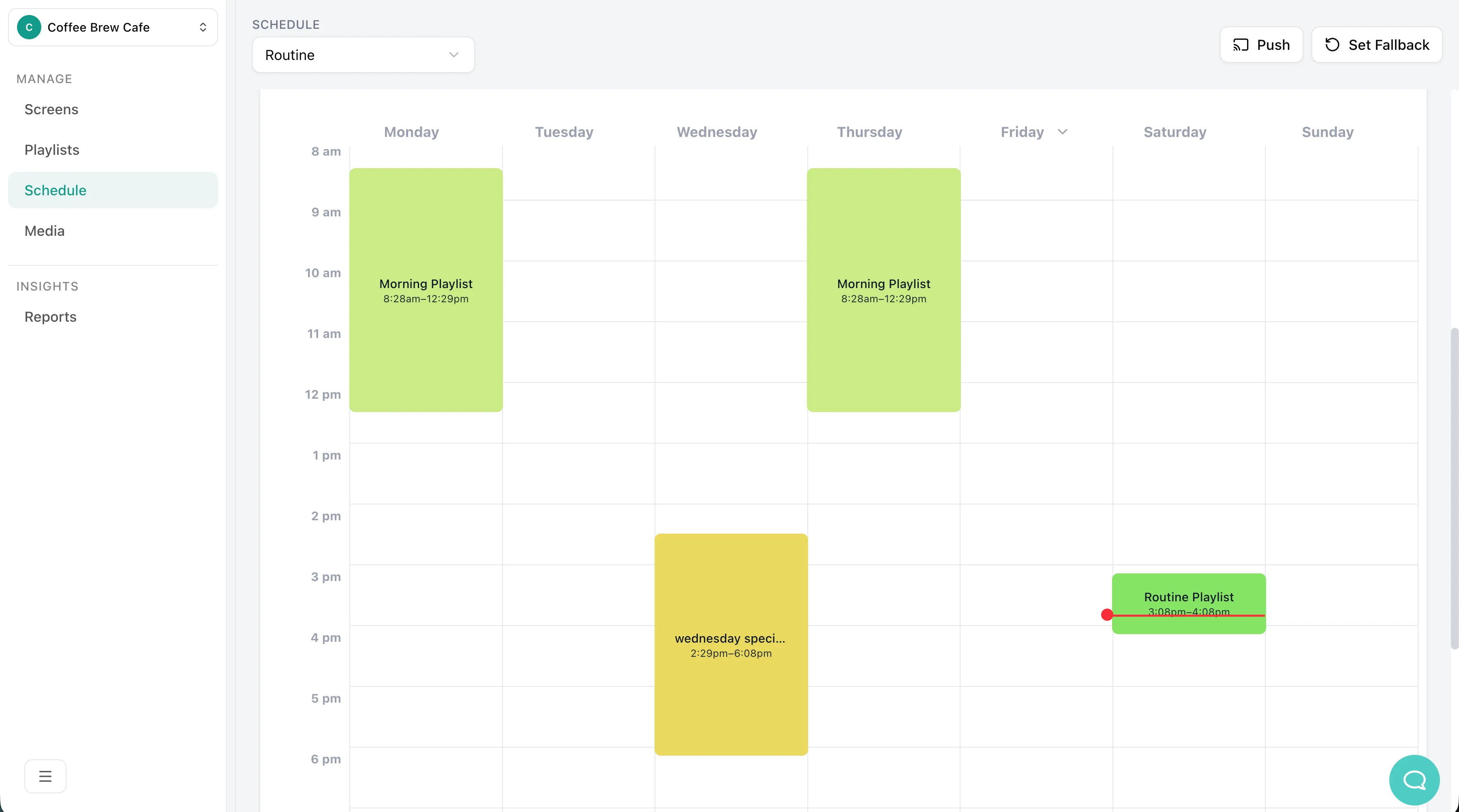
- The Weekly Grid: A visual layout of Monday through Sunday, broken down by hours.
- Current Time Indicator: A red line indicating the exact current time to help you orient yourself.
- Fallback Playlist: A safety net you can configure to ensure a specific playlist runs whenever there is an empty gap in your schedule.
Scheduling a Playlist
Section titled “Scheduling a Playlist”-
Select a Time Slot
Click anywhere on the calendar grid to open the scheduling dialog. If you click on an empty space, it will default the start time to the hour you clicked.
-
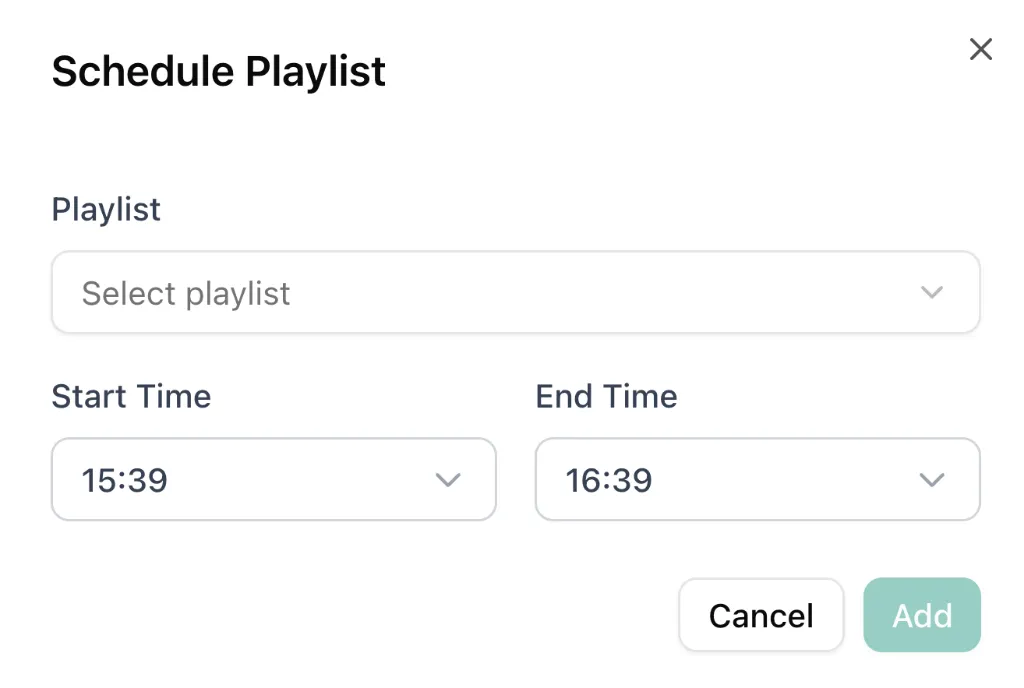
Configure the Schedule
In the dialog that appears:
- Playlist: Select the playlist you want to show from the dropdown.
- Start Time & End Time: Adjust the exact hours and minutes this playlist should run.
- Click Add to save it to your calendar.
-
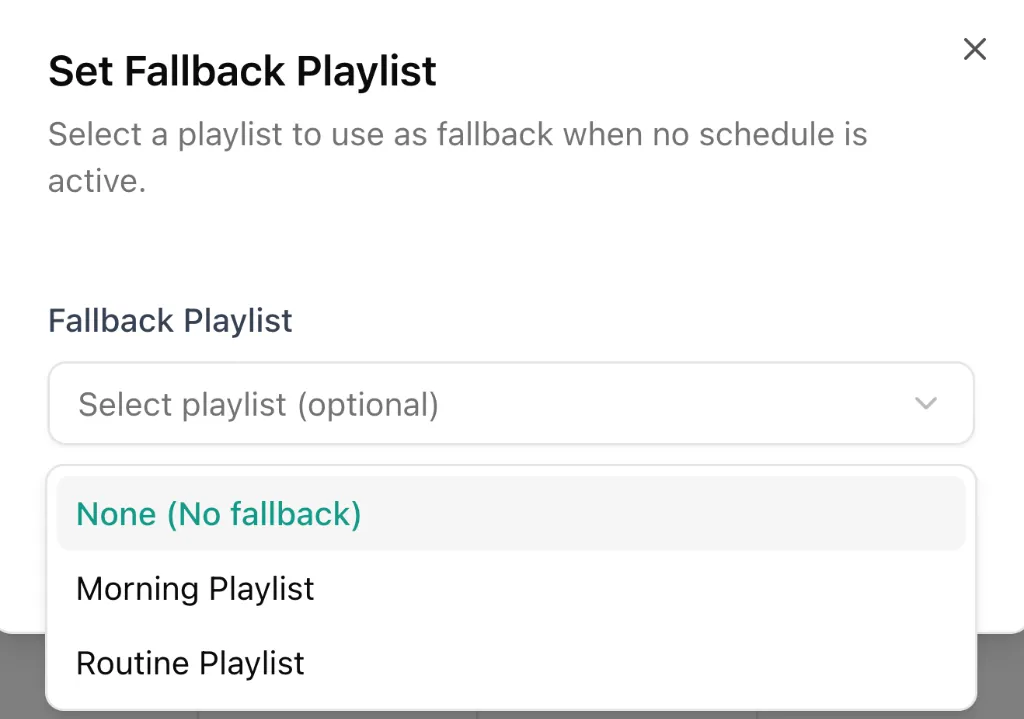
Set a Fallback Playlist (Highly Recommended)
What happens if it is 2:00 AM and you have nothing scheduled? The screen will go blank unless you set a Fallback.
- Click the Set Fallback button at the top of the schedule builder.
- Choose a default playlist. This will play automatically whenever there is an empty gap in your schedule.
Pro Tips for Scheduling
Section titled “Pro Tips for Scheduling”Copying Schedules
Section titled “Copying Schedules”If you have a complex schedule for Monday and want the exact same setup for Tuesday, you don’t need to rebuild it!
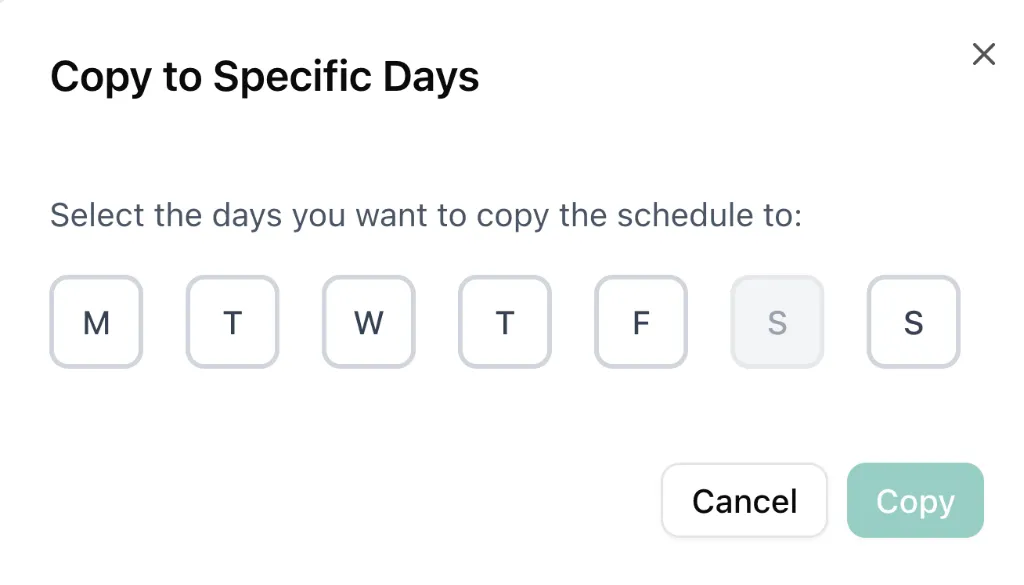
- Hover over the day name (e.g., “Monday”) at the top of the calendar.
- Click the small dropdown arrow that appears.
- Select Copy to tomorrow for a quick duplication, or Copy to specific days if you want to apply it to multiple days (like every weekday).